
Quattr MCP at work · Exec reporting
How do you write a monthly summary for your manager?
Pull last month against the month before from every source in one table, then test each change against a normal month's swing before you claim it. Report what passed as wins, write the rest as flat, and give the one real problem an owner. In the video, two of the apparent wins turned out to be normal monthly swing.
The recording below is the whole workflow: 3 ordinary questions, asked in an AI chat with Quattr connected.
The deck is due tomorrow. The numbers live in five places.
◐ Recreated from an anonymized sessionShip next month's readout from one chat
This run
In this video, it assembles a month from five sources and tests every change before anything is claimed.
What the run returned
The numbers set the scope of the problem; the decision names the work that moves it.
Run the same analysis in a Quattr-connected AI chat
Three prompts, copied exactly as written; the video shows what comes back.
Requires the Quattr MCP connection to read your organization's data. The prompt alone will not return your numbers.
- Prompt 1 Prep the exec readout for last month.
- Prompt 2 Before any of it goes to the board, which of those changes are real?
- Prompt 3 Assemble the readout.
How Quattr produced the answer
An ordinary question, answered from your own named sources.
Quattr MCP is the read-only bridge between your AI client and Quattr's connected search data and analytical tools. Agents and Skills turn those tools into repeatable search work.
How the Quattr MCP works → See these sources joined in one answer →
What belongs in a monthly summary?
Five parts; miss one and the deck invites questions it cannot answer.
01One table from every source
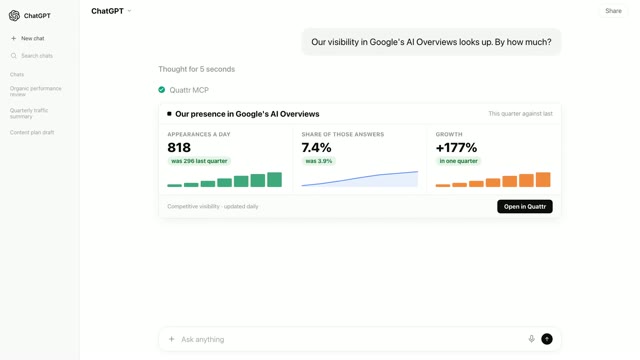
A summary assembled by hand from five tools takes a day and drifts out of date before the meeting starts. It looks like one table where each line names its metric, its source, and its change against the month before. The move: pull search clicks, search market share, AI Overview appearances, purchases and ad cost together in a single ask.
02Test every change before you claim it
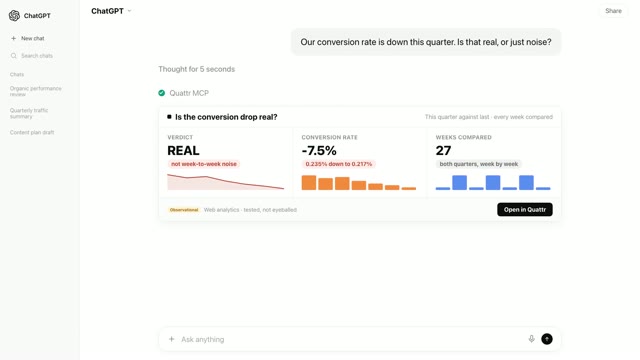
Any month moves on its own, so a raw rise or fall means nothing until you know how often normal variation produces one that size. You will see, for each line, how often an ordinary month swings that much by itself, with under 5% counting as real. The move: run that test on every line, wins and losses alike, before a single claim is written.
03File the failed wins as flat
Claiming a small rise that is really noise sets up next month's awkward reversal, and one retracted number taints the whole deck. You will see lines like clicks up a few percent that an ordinary month produces most of the time. The move: report them as flat on purpose, and recheck them next month instead.
04Lead with the claims that survive
A short list of tested claims lands harder than a long list of maybes, because every extra line invites the question of whether it is real. It looks like two or three changes larger than normal variation can explain, each with its number and its baseline. The move: put those first, in absolute numbers, and let everything else follow.
05End with the problem and its owner
A summary that only carries good news reads as advertising, and the one bad number will surface anyway. You will see a metric moving the wrong way, confirmed as real by the same test the wins passed. The move: name it, say what it costs, and hand it to someone before the next readout.
Transcriptmachine-transcribed · corrected for product terms
0The board deck is due tomorrow and the numbers for it live in five different places.
6This is what it looks like to assemble the whole thing from one ask.
11So we ask for the readout the way you would ask a colleague.
15One line and no tool names anywhere.
19It pulls last month against the month before from every connected source at once.
24Search, market share, AI answers, sales and ads.
30And there is the raw month in one place for the first time.
34Four of these five lines look like good news.
38Clicks up, share up.
40AI presents up, purchases up.
42Most decks would ship exactly this page and this is where ours goes further.
48Because before any number goes in front of a board, one question has to be asked of every single line.
56It tests every change against a normal month of day-to-day swing.
1:01The same bar a statistician would hold it to.
1:06And every change now answers one simple question.
1:10Could a normal month do this on its own?
1:12For clicks, 70% of the time it could.
1:16So they are not written as small wins.
1:19They are written as flat because a claim you cannot defend is worse than no claim at all.
1:27Which means the file can now be assembled with every line already knowing which kind of line it is.
1:34It writes the one page readout, keeping only the claims that passed and labeling the flat ones as flat.
1:43What we can say, what we write as flat and what needs a decision.
1:48The AI presence claim leads, the two soft numbers are marked flat and the paid problem gets named.
1:55Two claims that hold, two numbers flat on purpose, one problem with an owner.
2:00Nothing in this file has to be taken back later.
2:05Five sources, one ask and a deck where every number survives the first person who questions it.
2:11That is the Quattr MCP.
2:13It does not just pull your numbers, it tells you which ones you can defend.
Frequently asked questions
Were the numbers in the video real?
This video is recreated from an anonymized session: the interaction is faithful to a real run on a connected account, and the figures shown have been changed or are illustrative rather than a customer’s own numbers.
Can the Quattr MCP build this readout on my site?
Yes. Connect Quattr to your AI chat once, then paste the three prompts above. The same sequence runs on your own numbers: the month assembled from every source, every change tested, and the readout written from what passed.
How does it decide which changes are real?
Every line is tested against how much an ordinary month swings on its own, and a change counts as real only when normal variation produces it less than 5% of the time. In the video that test kept two wins, filed two lines as flat, and confirmed the one problem.
Where do these prompts run?
In any AI chat that can use connectors (the standard is called MCP). The prompt never names Quattr; the connection is what routes the question to your data, which is why it reads like an ordinary question.
What data can the Quattr MCP read?
Search Console clicks, impressions and rankings, web analytics, paid search, search market share against competitors, AI visibility across assistants, and Core Web Vitals. Every answer is pulled live from the connected account, so the numbers match what your dashboards show.
Ship next month's readout from one chat
Connect Quattr once and three prompts assemble your month from every source, test each change against normal swing, and write the claims that hold.
Read-only · OAuth 2.1 · existing Quattr permissions · no API keys