
Quattr MCP at work · AI crawlers
Are AI crawlers still reading your pages?
Not always. AI assistants rely on crawlers that read pages ahead of time, and a robots rule, a firewall or a server change can shut one out while Google carries on unaffected. Your server logs hold the answer: pages read per crawler, per week. In the video, one crawler's reads fell 90% while Google clicks held steady.
The recording below is the whole workflow: 3 ordinary questions, asked in an AI chat with Quattr connected.
You cannot be cited by an AI that never read your page.
◐ Recreated from an anonymized sessionCheck who is reading your pages
This run
In this video, it reads server logs to catch an AI crawler that quietly stopped fetching pages.
What the run returned
The numbers set the scope of the problem; the decision names the work that moves it.
Run the same analysis in a Quattr-connected AI chat
Three prompts, copied exactly as written; the video shows what comes back.
Requires the Quattr MCP connection to read your organization's data. The prompt alone will not return your numbers.
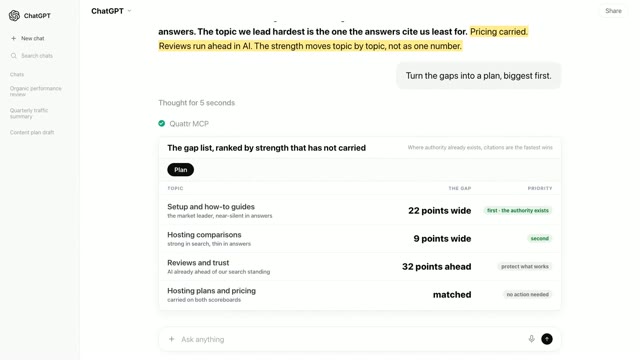
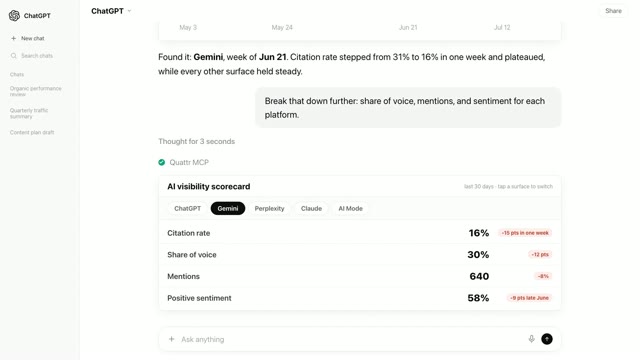
- Prompt 1 Our AI citations are down this quarter. Where exactly?
- Prompt 2 Are the AI crawlers still reading those pages?
- Prompt 3 Are those same pages still working in Google search?
How Quattr produced the answer
An ordinary question, answered from your own named sources.
Quattr MCP is the read-only bridge between your AI client and Quattr's connected search data and analytical tools. Agents and Skills turn those tools into repeatable search work.
How the Quattr MCP works → See these sources joined in one answer →
Why would an AI crawler stop reading your pages?
Five causes; work down them in order, your server logs settle each one.
01A robots rule shut the crawler out
AI crawlers obey your robots file, and one pasted line can block a whole section without anyone noticing. You will see the reads stop on the day the file changed, only on the paths that rule covers. The fix: read the robots file for each crawler's name, and remove the lines you never meant to keep.
02Bot protection started blocking it
Security tools ship rules that treat AI crawlers as unwanted bots, and an update can switch one on with nobody deciding. You will see the crawler getting errors or blocked requests in the logs while Google's crawler gets pages. The fix: allow the crawlers you want citations from, by name, in the firewall's bot settings.
03One path answers crawlers differently
A redirect, a login wall or a moved section can make pages unreadable to a crawler while they look fine in a browser. You will see the loss confined to one section while the rest of the site is read as before. The fix: fetch the affected pages the way a crawler does, and repair whatever answers differently on that path.
04Slow pages shrink every visit
A crawler only waits so long, so a slowed server means fewer pages read on each pass. You will see reads sliding gradually alongside rising response times, a slope rather than a cliff. The fix: speed those pages up, and the reads usually recover on their own.
05The crawler changed its own habits
AI companies retune how much they read, so a fall can start on their side and usually hits many sites at once. You will see fewer reads with no blocks, no errors and no changes of yours on the matching dates. The fix: confirm Google held steady, then watch whether citations follow before changing anything.
Transcriptmachine-transcribed · corrected for product terms
0Here is a rule that sounds obvious and gets forgotten constantly.
5Nothing can sell a page it has never actually read.
10So we start with the citations themselves and simply ask where the drop actually is.
18It pulls the AI citations section by section, this quarter against the one before it.
24And it is not the whole site at all.
29One section has fallen off a cliff and the rest have barely moved.
35When one part collapses and everything around it holds steady, that is almost never the writing.
42Something is stopping those pages being read.
45So instead of rewriting anything, let's go and check whether those pages are still being read.
53And now it goes to the server logs for how many of our pages each crawler actually read.
1:02Oh, look at that red line. It falls off a cliff and the green one never moves.
1:0937,000 pages read in a week in May.
1:12Last week, under 4,000. That is the crawler that reads ahead of time so the model already knows us.
1:21But, before blaming the crawler, there is one thing left to rule out.
1:27It pulls the Google Clicks for those exact same docs pages month by month.
1:34And they are completely normal. Same pages, same traffic, month after month.
1:42Nothing was de-indexed and nothing fell down the rankings. Google reads them exactly as it always did.
1:51So the writing was fine and the pages were fine.
1:55One crawler quietly stopped reading them and only the server logs could show us that.
2:00That is the Quattr MCP. It follows a citation all the way back to the server.
Frequently asked questions
Were the numbers in the video real?
This video is recreated from an anonymized session: the interaction is faithful to a real run on a connected account, and the figures shown have been changed or are illustrative rather than a customer’s own numbers.
Can the Quattr MCP check AI crawler coverage on my site?
Yes. Connect Quattr to your AI chat once, then paste the three prompts above. The same sequence runs on your own numbers: where citations fell, how many pages each AI crawler read week by week, and whether Google still sends the same clicks.
How does it know what the AI crawlers read?
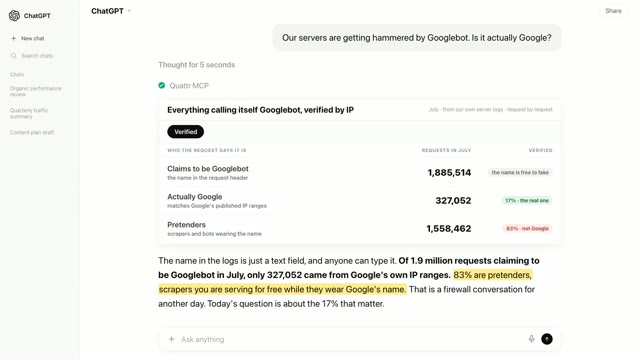
From your server logs. Every crawler names itself on each request, so reads can be counted per crawler, per week and per section, and the crawler that reads pages ahead of time separates cleanly from the one that only fetches a page when a user asks.
Where do these prompts run?
In any AI chat that can use connectors (the standard is called MCP). The prompt never names Quattr; the connection is what routes the question to your data, which is why it reads like an ordinary question.
What data can the Quattr MCP read?
Search Console clicks, impressions and rankings, web analytics, paid search, search market share against competitors, AI visibility across assistants, and Core Web Vitals. Every answer is pulled live from the connected account, so the numbers match what your dashboards show.
Check who is reading your pages
Connect Quattr once and these prompts read your own server logs: which AI crawlers fetch your pages, how that changed, and whether Google still holds.
Read-only · OAuth 2.1 · existing Quattr permissions · no API keys