

Table of Contents


Case Studies
Why Internal Linking is Important for SEO and Website Growth
Why Are Internal Links Important for SEO and AI Search?
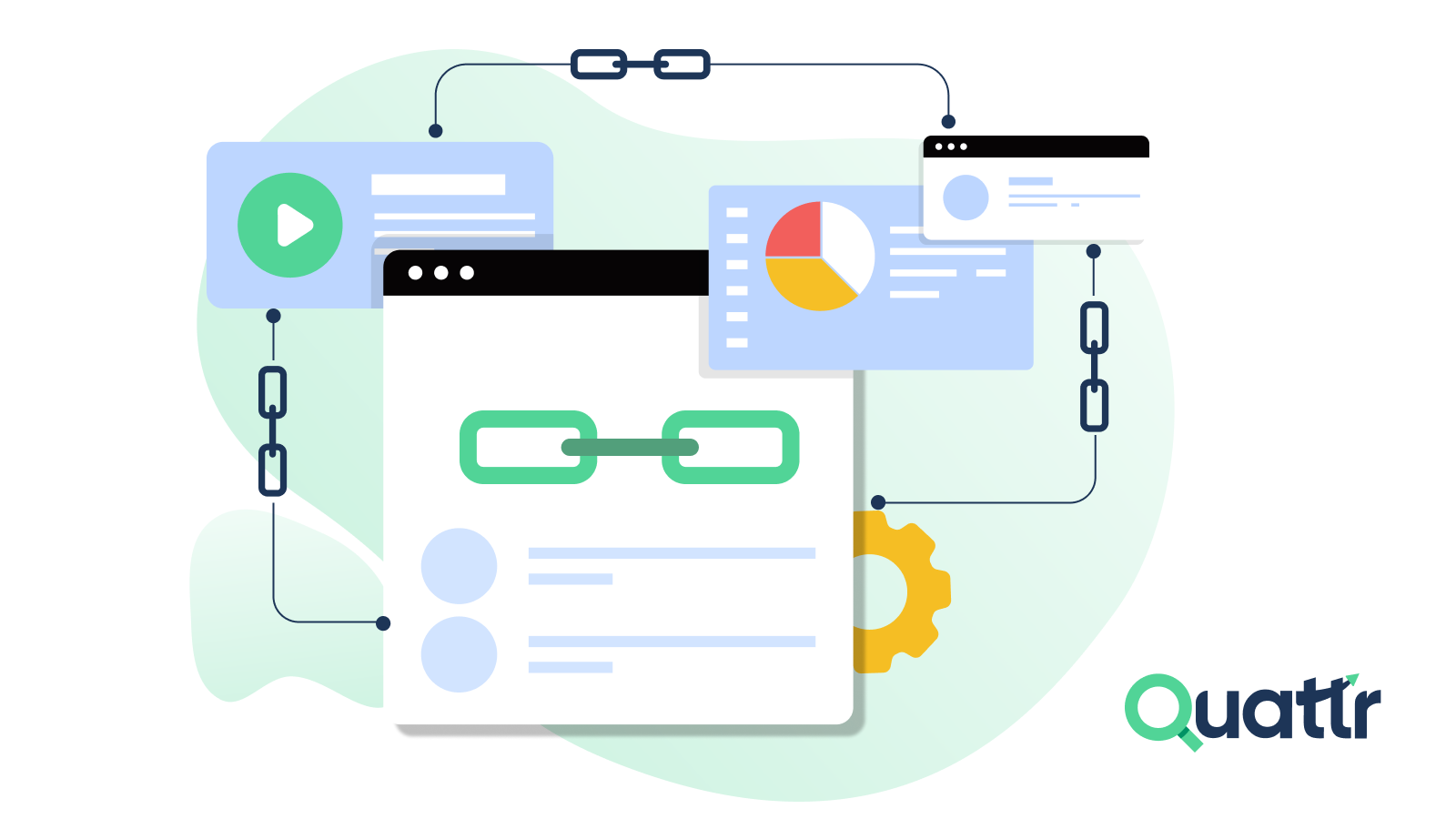
If you’re creating content but organic growth isn’t keeping up, your internal linking strategy may be holding you back. You landed on this article to understand why internal links are important for SEO, and the answer is simple. Internal links help search engines understand your site, pass authority, and boost rankings. With smarter Google algorithms and AI-driven answer engines relying on structure and context, internal linking is now essential. This guide explains the benefits of internal linking and how it strengthens long-term SEO performance.
Table of Contents
5.
6.
7.
8.
9.
10.
What Are Internal Links?
Internal links are the links that connect one page on your website to another page on the same site.
Think of them as pathways that help both users and search engines move through your content. Clicking an internal link keeps visitors on your site while guiding them to related information.
Search engines like Google also use internal links to find and index new pages. Without links pointing to a page, Google may not even discover it. That’s why having a clear internal linking structure is one of the easiest and most effective SEO strategies.
Why Are Internal Links Important For SEO?
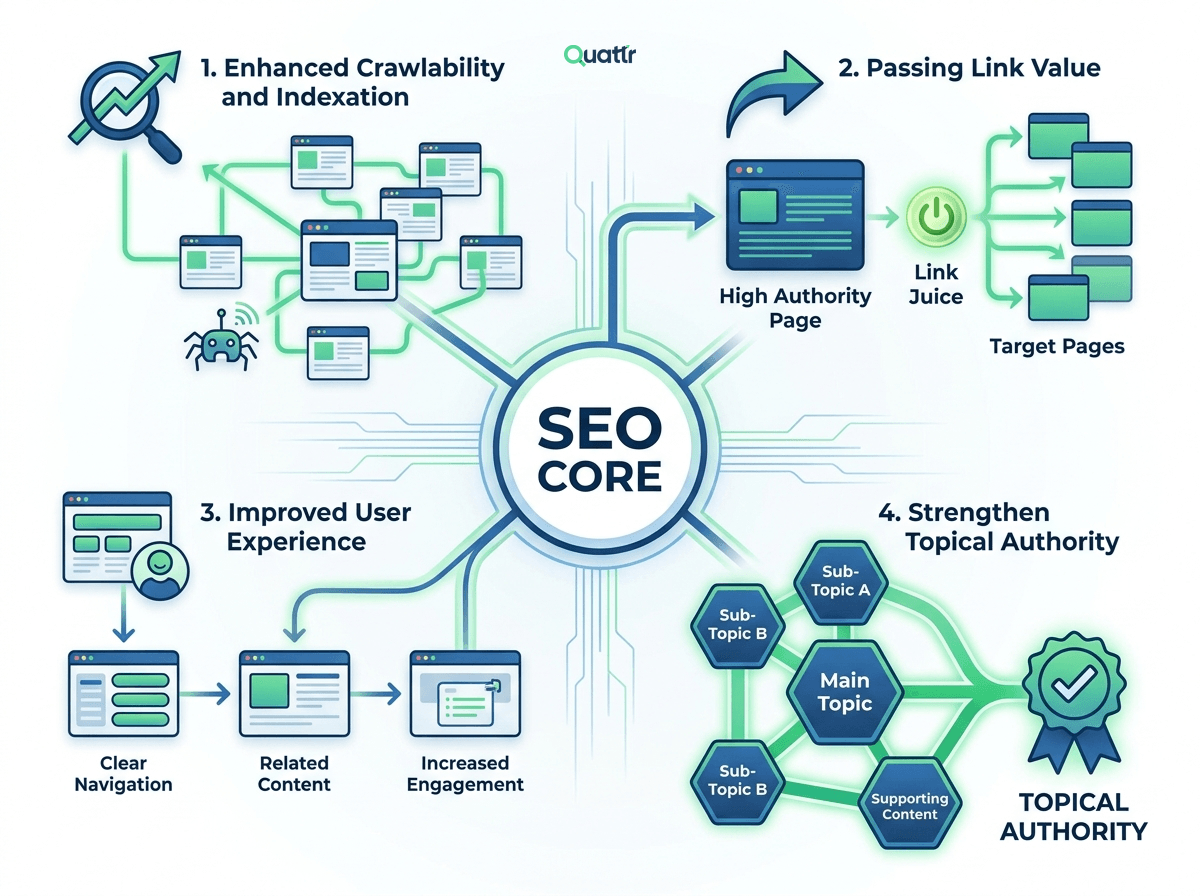
Here are some key benefits of internal linking for SEO that help improve site structure, user experience, and search visibility.
1. Enhanced Crawlability and Indexation
2. Passing Link Value
3. Improved User Experience
4. Strengthen Topical Authority
1. Enhanced Crawlability and Indexation
Search engines and AI tools find content by following links. If your pages are not well linked internally, even your best content may never be seen.
Good internal linking helps new pages get discovered faster and makes sure important pages are not buried deep in your site. For example, if a new blog post is linked from a popular page, search engines can find and index it quickly. Internal linking is even beneficial for large websites with millions of pages. Poor internal linking can be the main reason valuable pages don’t get indexed.
Also, strong internal linking also helps manage your crawl budget, so search engine bots spend their time crawling pages that actually matter instead of wasting effort on low-value or duplicate pages.
Simply put, strong internal linking makes sure your content is visible, easy to find, and more likely to rank.
2. Passing Link Value
When used strategically, internal links help spread link equity across your site. Yes!! This is true.
Through internal linking, stronger pages pass their authority to weaker pages, helping improve their performance and visibility. In an AI-driven search environment, context and authority are closely connected, and a solid internal link structure signals which pages truly show topical expertise.
Your homepage and popular pages are the strongest pages on your site. They already have trust from search engine, LLM models and users. Internal links help share that strength with other pages. When you link from strong pages to new or low-performing ones, those pages get a ranking boost. It also helps search engines understand which topics matter most on your site and which pages are important for your business.
The good thing is you control this completely. No outreach, no waiting. Just advance internal linking that helps your pages perform better.
3. Improved User Experience
When someone lands on your website, search engines watch how they behave. Do they leave right away, or do they keep exploring? Internal links help shape that story.
Good internal links gently guide user to the next helpful page and enhance user experience. Instead of bouncing, they read more, spend more time on your site, and naturally move toward pages where they’re ready to take action.
At the same time, user feels easier to navigate website because the links match what the user is actually looking for at that moment. That’s why internal linking works so well. It helps users and search engines at the same time, which is rare in SEO.
4. Strengthen Topical Authority
Search engines today don’t just look at keyword clusters. They try to understand meaning and context. Internal links help them do that.
When you link related pages using clear, natural anchor text, you’re showing search engines how your content connects. You’re telling them which pages explain a topic well, which ones go deeper, and how much expertise your site has overall. For example, linking a beginner guide to a detailed tutorial shows that both pages belong to the same topic and that your site covers it thoroughly.
This matters even more for AI-powered search models. They rely on relationships between ideas to decide what content to show. Your internal links act like a map, teaching these systems how your content fits together and which pages deserve attention.
How to Build an Effective Internal Linking Strategy?
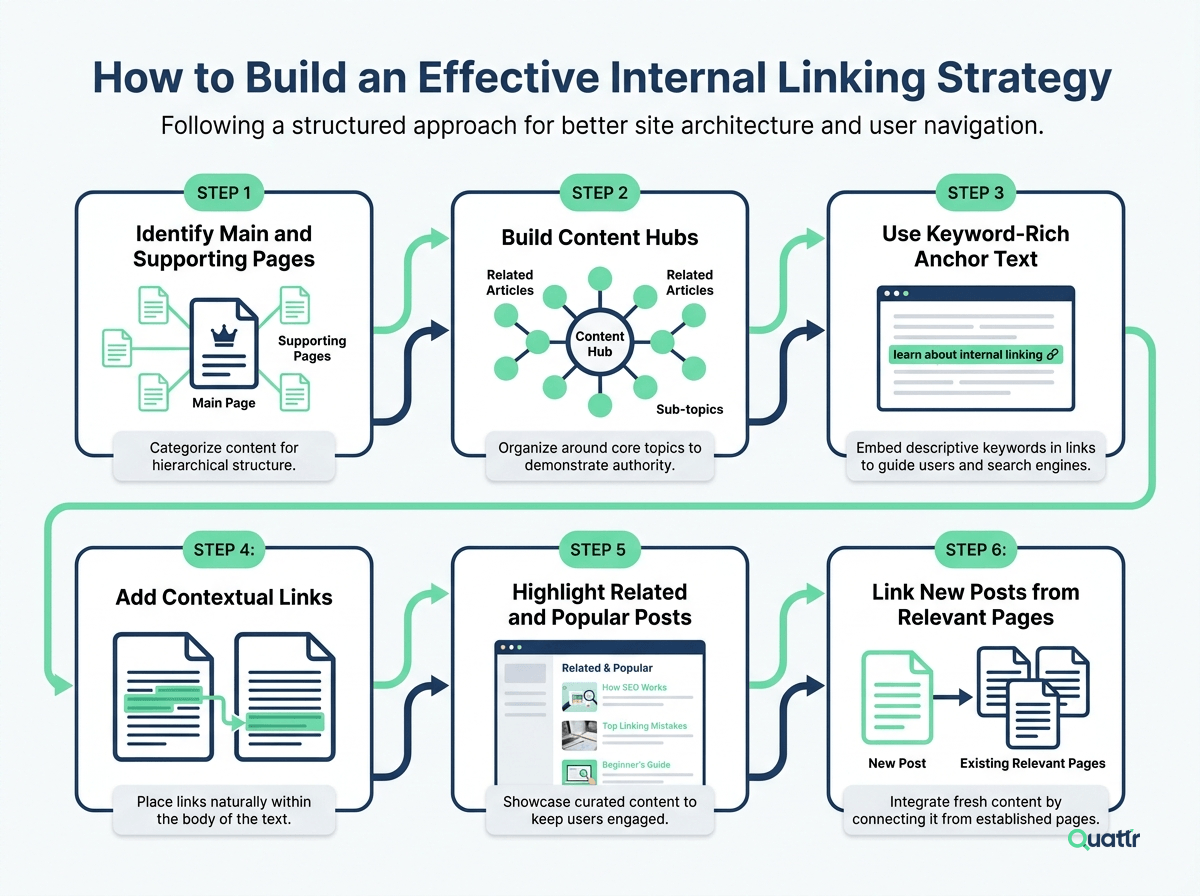
Step 1: Identify Main and Supporting Pages
Start by figuring out your main pages, these are the pages that drive your business, like your homepage, product pages, or blog hubs. Then, list your supporting pages, like guides, FAQs, or related articles. You should link these supporting pages back to your main pages to boost their visibility.
Strategic internal linking improvements led to a blog’s overall organic traffic growing 43%, with orphaned content up nearly 300% after links were added. (Source)
Step 2: Build Content Hubs
Think of your website as a content hub. At the top sits a pillar page targeting a main keyword. Your cluster pages cover related subtopics in more depth. You should link each cluster page to the pillar page and vice versa. This creates a strong network that spreads link equity and shows Google your site covers a topic thoroughly.
HubSpot reported that their topic cluster strategy increased blog traffic by 60% because Google could understand the relationships between pillar and cluster pages. (Source)
Step 3: Use Keyword-Rich Anchor Text
Anchor text is the clickable phrase in your links. You must use descriptive, keyword-focused phrases so Google knows what the linked page is about. Mix exact matches with natural variations to avoid looking spammy.
Step 4: Add Contextual Links
You should link related content together inside your articles. Highlight cornerstone content by linking to it from multiple posts. Don’t forget to link back from the cornerstone page to the related posts.
Step 5: Highlight Related and Popular Posts
Add a related posts section at the end of your articles. You can also include popular posts in sidebars or footers. This keeps users exploring your site and helps spread link equity.
Step 6: Link New Posts from Relevant Pages
Every time you publish a new post, you should link to it from existing content that covers similar topics. Don’t link randomly, make sure it’s relevant. This prevents orphaned pages and ensures Google crawlers find new content fast.
Autonomous Internal Linking: The New Hidden Gem
Quattr’s Autonomous Internal Linking uses AI to automatically connect pages across your site, helping users navigate easily and boosting SEO performance. It appears something like this:
The right section automatically shows related topic links. After reading an article, users are likely to click these, which boosts session duration.Companies like Kiteworks have seen non-brand traffic quadruple by using smart internal linking at scale. Checkout this page to know more about autonomus internal linking.
Who’s still doing internal linking manually in the AI era? Quattr puts the power of artificial intelligence to work for you, automating site-wide links, boosting SEO, and saving countless hours. Book a demo today and see what AI can do for your website growth!
Explore Quattr's Intelligent Internal Linking
Request a DemoFAQs
How do internal links affect SEO and AI search?
They help crawlers discover and index pages, distribute authority, and teach semantic relationships, so both traditional search engines and AI answer engines are more likely to surface your content.
What are the best internal linking practices?
Use contextual, relevant anchor text; link from high-authority pages to revenue or conversion pages; avoid site-wide junk links; and maintain a consistent taxonomy and linking rules.
How long until I see results from internal linking changes?
You can see indexation and crawl improvements in weeks; measurable ranking and traffic gains typically appear in 2–6 months, depending on site size and competition.
About The Author

About Quattr
Quattr is an AI-native Search Visibility Platform founded in Palo Alto, California, built for mid-market and enterprise brands competing in the age of generative search. Recently recognized across G2’s Spring 2026 reports with #1 rankings in AEO Results, Usability, and Relationship, Quattr helps brands win visibility across traditional search and AI-generated answer surfaces.
Quattr’s AI agent, GIGA, evaluates content the way AI systems do, identifying gaps across structure, authority, internal linking, and discoverability to surface the highest-impact fixes. With capabilities like autonomous internal linking, E-E-A-T intelligence, and the new GIGA Landing Page Generator for keyword-matched, AI-search-ready pages, Quattr helps teams move from diagnosis to deployed changes without manual bottlenecks.

Read More


Ready to see how Quattr
can help your brand?
Try our growth engine for free with a test drive.
Our AI SEO platform will analyze your website and provide you with insights on the top opportunities for your site across content, experience, and discoverability metrics that are actionable and personalized to your brand.