Quattr's own daily observation
Site crawl as an MCP data source
Request a demo Play this question →
- Weekly by default, per group
- OAuth 2.1 · read-only
- Claude, ChatGPT, Cursor, VS Code
- Links · canonicals · depth
- JavaScript rendered, no setup
Asked in your assistant
Why is this page not getting indexed?
This source, on its own
- Pages crawled22,140
- Not indexable1,860
- Orphans found312
this source stops here
- ✕Did Google choose to index it?not in the crawl
- ✕How many humans saw it?no traffic data
- ✕Did the noindex ship on purpose?no change history
- ✕Was the page slow when fetched?structure, not speed
The same question, routed wider
- ✓ Site crawl link graph, indexability, depth
- ✓ Server logs what crawlers actually fetched
- ✓ Search Console the impressions at stake
- ✓ AI visibility whether answers cite it
What comes back
- Fetched by Googlebotyes
- Canonical points awayyes
- Impressions0
Illustrative
- Setup~2 minutesNothing to connect. Quattr runs the crawl; you ask about it.
- ScopeRead-onlyThe MCP reads finished crawls. It cannot start or change one.
- Sources behind itEightThe crawl alone works. Seven more join when connected.
- Tools58 across 11 categoriesFour cover structure; the assistant routes to them.
What a site-crawl MCP server does
An MCP server is the connection between your assistant and a system that holds data. Quattr crawls your site on a schedule and keeps the result: the link graph, indexability signals, canonicals, redirect chains and how many clicks each page sits from the homepage. The crawl is already running, so there is nothing to connect but the assistant.
Structure is the question underneath most technical work. A page can be published, written well and still be unreachable, canonicalised somewhere else or linked from nothing. A crawl is how that becomes visible before anyone wonders why the page never appears.
Connect the site crawl in about two minutes
Nothing to authorise for this source. The crawl runs on your account already.
- 01 Add the endpoint Paste it into your client's MCP settings. One server, every source, there is no per-source endpoint to manage.
https://mcp.quattr.com/mcp - 02 Sign in with Quattr OAuth 2.1 in the browser. The session is bound to your organisation and scoped read-only; no API key is created or stored in your client.
- 03 Ask about a section Crawl groups have their own schedule and URL set, so the answer names which crawl it read and when that crawl ran rather than implying it is live.
What you can ask on day one
Plain questions, not crawl configuration. Each one runs against the latest crawl alone, nothing else has to be connected first.
-
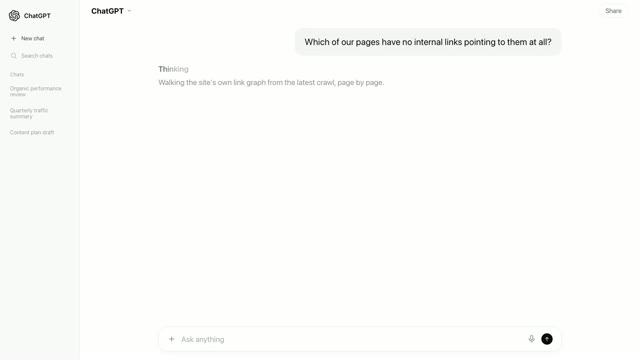
Which pages are published and indexable but have nothing linking to them? -
Why is this URL not indexable, and what exactly is blocking it? -
Which sections sit deepest from the homepage? -
Show me pages with almost no incoming internal links. -
What changed in our indexable page count since the last crawl?
The site-crawl tools it exposes
-
indexation_gap_diagnosisURLs flagged not-indexable with the reason: noindex, canonical, robots or status. R1 Reachable -
orphan_pagesPublished, indexable URLs with no internal links pointing at them. R1 Reachable -
internal_link_flowIncoming and outgoing internal links per URL, so under-linked pages surface. R1 Reachable -
crawl_budget_wasteDeep, parameterised and non-200 URLs that crawlers spend their visits on. R1 Reachable
You never name one of these. The assistant routes the question; the reference is public so an answer can be checked against what it was built from.
Where Site crawl reads, what it assumes beneath, and what it cannot reach. Filled rungs are measured; hatched rungs are taken on faith.
- R5 Rewarded out of reach Nothing this source records reaches up here.
- R4 Represented out of reach Nothing this source records reaches up here.
- R3 Referenced out of reach Nothing this source records reaches up here.
- R2 Retrieved out of reach Nothing this source records reaches up here.
- R1 Reachable reads here The crawler reached the URL and read its structure, indexability, canonicals, depth.
A reading at any rung is only as trustworthy as the rungs beneath it. Crawl shares the bottom rung with logs and assumes nothing beneath. But reachable is not fetched: the two R1 sources answer different halves of the same rung.
Where a single-source crawl MCP stops
Not at a feature the vendor forgot. At the edge of what a crawl observes.
- Did anything actually come for it? The crawl proves a page can be reached. Whether Googlebot or GPTBot came for it, when, and what status they were served is recorded only at your own origin. needs Server logs
- Which of these is costing us? A crawl returns a list of URLs that all look equally important. Ordering the work by what each problem costs needs the impressions and clicks each page earns. needs Search Console
- Did the structure fix pay off? A later crawl shows the link graph changed. Whether the change moved anything a business recognises is on the other side of the click, in your analytics. needs GA4 / Adobe
- Is this page being cited anywhere? Structure decides whether a page can be used at all. Whether answer engines cite it, and which rival they cite instead, is observed on the engines themselves. needs AI visibility
Seven more sources answer what a crawl structurally cannot
Every source is one you already own or one Quattr collects for you. Connect none of them and the crawl answers still work. Connect any of them and a structural finding gains a size.
- Server logs yours The other half of the reachability question. The crawl says the page could be fetched; the logs say whether anything came, and what it was served. hours to nightly
- Search Console yours The size of each structural problem. Impressions and clicks turn an orphan list into a ranked worklist instead of an inventory. 1 to 2 days behind
- AI visibility Quattr Whether the pages you fixed structurally went on to be cited, and whether an orphaned page was a citation target all along. ~1 day behind
- GA4 or Adobe yours What the pages behind the link graph actually produce, so internal linking is judged on conversions rather than on link counts. loads nightly
- Lighthouse / CWV Quattr Page experience on the templates the crawl maps. Depth and speed are separate problems that often live on the same set of pages. varies by site
- Google Ads yours The paid destinations worth auditing first. A landing page you buy traffic for that redirects or canonicalises elsewhere is spend arriving somewhere unintended. ~1 day behind
- Rank tracking Quattr Whether a structural change coincided with a change in standing, so a fix can be read against the ground you hold rather than on its own. ~1 day behind
- The ladder that orders them R1 Reachable → R2 Retrieved → R3 Referenced → R4 Represented → R5 Rewarded. A broken lower rung invalidates every reading above it. The method →
Quattr MCP compared with a standalone crawler MCP
A category comparison, not a claim about any one vendor. A standalone connector is a good piece of software doing a narrower job; the table is here so you can tell which situation you are in before installing anything.
| Dimension | A standalone connector | Quattr MCP | When it matters |
|---|---|---|---|
| Crawl control | You start a crawl when you want one, with your own scope, rendering and extraction settings. | Crawls run on a schedule, weekly by default per group. You ask about the latest one rather than triggering it. | If you need to re-crawl a section this minute, the standalone tool is the one. |
| Which domains | Point it at any URL on demand, including a site you have no relationship with. | The domains configured on your account, which can include more than one and can include a competitor. | For a one-off look at a site nobody has configured, the standalone tool wins. |
| Other sources | None. The crawl is the world; joins are exports you reconcile yourself. | Seven more behind the same endpoint, joined on the URL and on your segments. | The moment a structural finding needs a size attached to it. |
| How a question is answered | Reports and bulk exports come back; your assistant slices and interprets them. | The question is routed to a governed analysis that states which crawl it read and returns a verdict. | When the export is larger than the context window and gets summarised badly. |
| Blast radius | Runs locally under your licence. The official server optionally enables a Node runtime that its own documentation notes can execute arbitrary code on your machine. | Remote and read-only. Nothing executes on your infrastructure and no crawl can be started from chat. | When an agent runs unattended, or on a machine you would rather it could not write to. |
| Segmentation | Filters on crawl fields, such as path prefix, status code and depth. | Your own taxonomy, product lines, templates, page groups, built during onboarding. | When "which section" means a business grouping, not a path pattern. |
| Time to first answer | Minutes, if the application is installed and licensed on the machine you are working from. | Minutes once the account is set up, because crawl groups and the taxonomy exist before the first question. | Honestly, this row favours the standalone tool when you want an answer within the hour. |
| Cost | A desktop licence you may already own, with no platform subscription behind it. | Included with a Quattr subscription. No separate MCP product, no separate bill. | If you already hold that licence, it is the cheaper way to answer a crawl question today. |
Rows describe a category, checked against publicly documented behaviour. Named-vendor claims live on the comparison pages, dated. If a row is wrong or out of date, it is a defect, tell us and it changes.
What a site crawl itself will not tell you
- A crawl is a snapshot on a scheduleGroups run weekly by default, so a page changed since the last crawl is described as it was then. Every answer names the crawl it read rather than implying the structure is live.
- Reachable is not fetchedThe crawl reports what a crawler could reach if it came. Whether anything actually came, and what it was served, is recorded in your server logs and nowhere else.
- It sees the URL sets you configureCrawls start from sitemaps, URLs Search Console has discovered, or a list you upload. A page in none of those is not in the crawl, so orphan detection is bounded by what the seed found first.
- Google's indexing choice is not hereA page can be perfectly reachable and still not indexed, because indexing is a decision made on Google's side. The crawl explains what would block it, not what Google concluded.
Freshness, permissions and what is stored
- Freshness
- Weekly by default, with each crawl group carrying its own frequency. Every card names the crawl it read and when that crawl ran.
- Scope
- Read-only. The MCP reads finished crawls and cannot start, stop or reconfigure one.
- Sign-in
- OAuth 2.1 in the browser. No API key is minted or stored in your client config.
- Tenancy
- Sessions are bound to your organisation. A session cannot reach another tenant's crawls.
- Your prompts
- Your assistant sends the question to the server to route it. It is not used to train anything.
- The crawl itself
- Quattr's cloud crawler, rendering JavaScript, seeded from sitemaps, Search Console discovery or an uploaded list. Three years of crawl history is standard.
Origin event to answered card for Site crawl, with the stage each stated limit attaches to.
- lag enters
- data leaves
- modelling begins
- 01 Seed set assembled from sitemaps, GSC discovery or an uploaded list
- data leaves: The seed bounds what can be found, which is why orphan detection has a floor.
- 02 Fetched and rendered with JavaScript
- 03 Link graph built
- 04 Indexability rules evaluated
- modelling begins: Google's indexing choice is not here. This is what the rules imply, not what was indexed.
- 05 Snapshot stored
- lag enters: A crawl is a snapshot on a schedule. Between runs the site can differ from the data.
Who can connect it, and what it costs
This is a source Quattr collects rather than one you connect. There is no property to authorise and no credential to issue: if your organisation uses Quattr, crawls are already running against the domains and groups configured for your account, and the MCP is a way to ask about them in the place you are already working.
A standalone crawler is the honest recommendation for a one-off audit. A licensed desktop crawler will crawl any site you point it at within the hour, with your own configuration, which is genuinely the better tool when the domain is one nobody has configured and the question is a single crawl rather than a programme.
Learn to read the numbers yourself
- topic The Reachable sweep Ranking technical issues by the traffic at risk instead of by error count.
- topic Content lifecycle economics Decay, the refresh-first worklist, and when two pages are competing with each other.
- metric Crawl depth How it is counted, why it moves, and what a deep page does and does not imply.
- report The internal linking report What belongs in it, and why a link count on its own is not a recommendation.
Questions people ask before connecting
Do I have to install or run anything?
No. Quattr's crawler runs in the cloud on your account's schedule. There is no desktop application to keep open, no licence to manage, and nothing running on your machine.
Can I trigger a crawl from the assistant?
No. The MCP is read-only and reads finished crawls. Changing a crawl group's schedule or URL set is done in Quattr rather than from a chat window.
How often does it crawl, and what does it crawl?
Weekly by default, with each crawl group carrying its own frequency and URL set. Sets are seeded from sitemaps, URLs Search Console has discovered, or a list you upload.
Does it render JavaScript?
Yes. Client-rendered links and content are seen, which matters on sites where the link graph only exists after rendering and a raw-HTML crawl would report far fewer links.
Can it crawl more than one domain?
Yes. Multiple domains can be configured on an account, including a competitor's, so the crawl is scoped to what has been set up rather than to a single property.
How far back can it look?
Three years of crawl history is standard, matching the other sources, so structural change can be compared across crawls rather than only described as it is now.
What if I connect nothing else?
Everything on this page above the comparison table works. Questions that need logs, rankings or traffic get a refusal naming what is missing rather than a structural guess.
Is a standalone crawler MCP ever the better choice?
Yes. For a crawl you want to start right now, with custom configuration, on a site nobody has configured, a licensed desktop crawler is faster and more flexible than this.